How to make the best of a smaller hard drive
Published in Science & Technology News
Lately I’ve been helping my wife deal with a laptop hard drive that’s too small.
Whenever we go out, I’m the one who takes the pictures with my phone, but she always asks me to AirDrop the photos to her computer. This is great, but I picked up her MacBook Air used, and it has the minimum amount of storage – 256 gigabytes.
Her previous laptop was an Intel-powered MacBook Pro back from when Apple used 2.5-inch hard drives and you could swap them out for larger ones in just a few minutes. I’d upgraded the storage to 2 terabytes.
When I came home with the newer MacBook Air, my wife was excited – until I told her the storage was tiny.
Instead of migrating all her data to the new Mac, we started fresh and I took the old hard drive out of her previous Mac and put it in a USB enclosure so she can connect it to the new Mac when she wants to copy some files.
So what are some tips for when your hard drive is filling up? Where should you look for files to move or delete?
In my wife’s case, photos take up the most space on her laptop.
It is possible to copy your entire photo library off to an external hard drive. This can either be a one-time copy to back up your photos, or you can choose to point your operating system to use the external drive for the main photo library location.
Keeping your photo library on a larger external drive will save a ton of space on your internal drive, but you must remember to connect the drive with the photo library every time you want to access your photos.
You can search the web for instructions on how to move your photo library to an external drive.
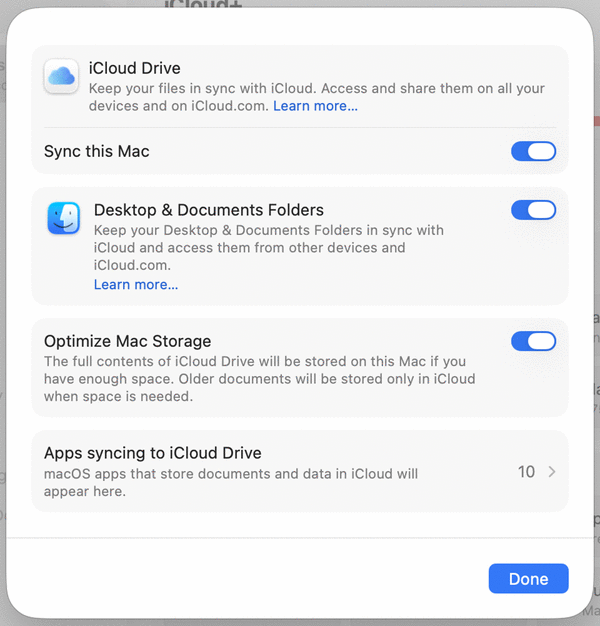
Another place to look for space is to utilize cloud storage from Apple, Microsoft and Google.
You can ask Mac OS and Windows to move your Desktop and Documents folders to cloud storage. Every time you save a file to one of those places, it’ll be silently copied and stored in the cloud, even though the icon still appears on your computer.
©2026 Tribune Content Agency, LLC.






Comments